
If you’re planning to start a business in the Grand Canyon State, or if you’re an entrepreneur looking to partner with an existing company, the first tool you absolutely need to understand is the Arizona business entity search. This free, publicly accessible database, maintained by the Arizona Corporation Commission (ACC), is the official record of every registered business operating within Arizona’s borders. Whether you’re checking name availability, verifying a competitor’s status, or conducting due diligence on a potential investor, the Arizona business entity search is your gateway to reliable, legally binding information.
In this comprehensive guide, we’ll walk through everything you need to know about performing an Arizona business entity search, why it matters, how to interpret the results, and common mistakes to avoid. We’ll also cover related topics like annual reports, dissolved entities, trade names, and foreign qualifications. By the end, you’ll be able to navigate the Arizona business entity search like a seasoned corporate paralegal.
Why the Arizona Business Entity Search Is Essential
Many new business owners skip the Arizona business entity search and jump straight to filing articles of incorporation. That’s a risky move. Without running an Arizona business entity search, you might unknowingly choose a name that’s already trademarked or registered. Worse, you could invest thousands into branding and logos only to receive a rejection letter from the ACC.
The Arizona business entity search also protects you when dealing with third parties. Imagine signing a contract with a company that claims to be an LLC, but a quick Arizona business entity search reveals it was administratively dissolved three years ago. That’s a red flag you can’t afford to ignore. Creditors, investors, and even potential employees use the Arizona business entity search to verify that a business is legitimate and in good standing.
Beyond name checks, the Arizona business entity search provides access to filed documents, registered agent information, and the date of formation. Real estate agents use the Arizona business entity search to confirm that a property-owning LLC actually exists. Journalists use it to uncover who stands behind a political action committee. And yes, curious neighbors use the Arizona business entity search to see if that home-based consulting firm is properly registered.
How to Perform an Arizona Business Entity Search Step by Step
Let’s get practical. The official Arizona business entity search tool lives on the Arizona Corporation Commission’s eCorp website. You don’t need to create an account or pay any fee. Just open your browser, search for “Arizona Corporation Commission eCorp,” or go directly to the ACC’s public search portal.
Once you land on the Arizona business entity search page, you’ll see several search options. The most common is “Search by Entity Name.” Type in the name you want to check. For example, if you’re thinking of starting “Desert Sun Landscaping LLC,” enter that phrase. The Arizona business entity search is not case-sensitive, but it does match exact character strings unless you use wildcards.
A better approach is to use a partial name search. The Arizona business entity search allows an asterisk () as a wildcard. So “Desert” will return every entity with “Desert” at the beginning of its name. This is useful when you’re not sure of the full legal name or when you want to see all similar names in the Arizona business entity search results.
You can also search by entity ID number. Every registered business in Arizona gets a unique file number. If you have that number, the Arizona business entity search will take you directly to the exact record. Other search filters include principal office address, registered agent name, and filing date range. For advanced users, the Arizona business entity search even supports searching by officer or director name, which is invaluable for background checks.
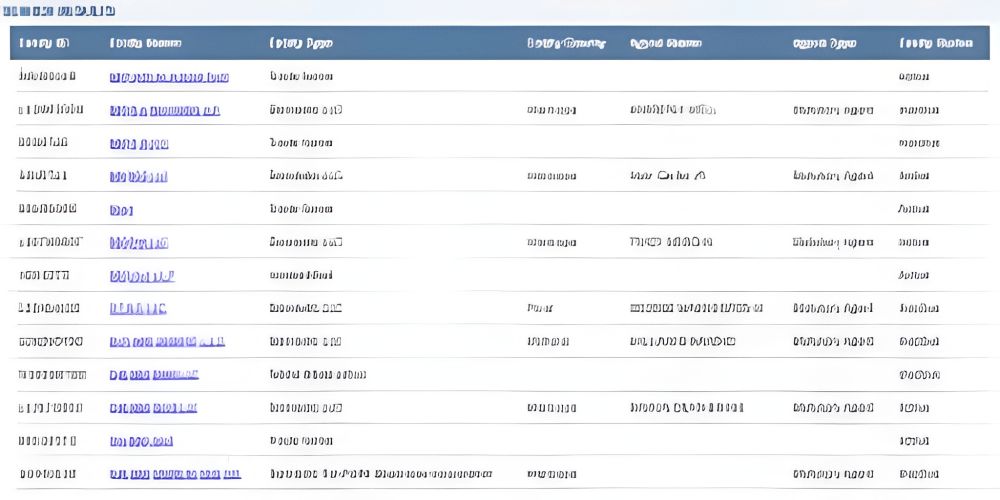
After you hit search, the Arizona business entity search returns a list of matching entities. Each entry shows the entity name, ID number, status (active, dissolved, default, etc.), type (corporation, LLC, nonprofit, etc.), and formation date. Click on any entity name to view the full detail page.
Interpreting Arizona Business Entity Search Results
Understanding what the Arizona business entity search tells you is just as important as running the search itself. The status field is critical. An “Active” status means the entity has paid all required fees, filed annual reports on time (if required), and is legally permitted to transact business in Arizona. A “Dissolved” status means the entity has voluntarily wound down. An “Administratively Dissolved” status means the ACC terminated the entity for failing to file an annual report or pay fees. Doing business with an administratively dissolved entity can expose you to liability.
The Arizona business entity search also shows the entity’s “Statutory Agent” (registered agent). This is the person or company authorized to accept legal papers on behalf of the business. If the registered agent’s address is outdated or invalid, that’s a warning sign. The Arizona business entity search will even show you any “Pending” name changes or amendments.
Another hidden gem inside the Arizona business entity search is the “Documents” tab. From there, you can view and download PDFs of original articles of incorporation, annual reports, amendments, and merger documents. These files often contain the names and addresses of all directors, managers, or members. For competitive intelligence, few tools rival a deep dive into the Arizona business entity search document archive.
Name Availability and the Arizona Business Entity Search
One of the most common uses of the Arizona business entity search is checking if a business name is available. But here’s a nuance that trips up many people: availability for registration is not the same as “no exact match found.” The Arizona business entity search follows specific name rules. For example, “Desert Sun Landscaping LLC” is considered distinguishable from “Desert Sun Landscaping, L.L.C.” because of the comma and periods. However, “Desert Sun Landscaping LLC” and “Desert Sun Landscaping LC” are not distinguishable — both imply a limited liability company.
The Arizona business entity search also checks for deceptive similarity. Even if an exact name isn’t taken, the ACC may reject your filing if your name is too close to an existing entity in the same industry. That’s why you should always run an Arizona business entity search before submitting your name reservation request.
You can reserve a name for 120 days through the ACC, but only after you’ve confirmed via the Arizona business entity search that the name is available. The reservation fee is nominal (around $45 for most entities), but it’s non-refundable. So do your homework first.
Foreign Entities and the Arizona Business Entity Search
What if your business is incorporated in Delaware but you want to open a Phoenix office? You need to register as a “foreign” (out-of-state) entity with the ACC. And yes, the Arizona business entity search covers foreign entities too. When you run an Arizona business entity search on a national brand like “Starbucks Corporation,” you’ll see its foreign registration record, including its Arizona registered agent and its “qualified” date.
For entrepreneurs, checking a foreign entity’s status via the Arizona business entity search is crucial before signing a lease or hiring a subcontractor. If a foreign company is transacting business in Arizona without qualifying, it cannot file a lawsuit in Arizona courts. The Arizona business entity search makes it easy to spot unqualified foreign entities — they simply won’t appear in the database.
Trademarks vs. Arizona Business Entity Search
Many people confuse the Arizona business entity search with a federal trademark search. They are not the same. Registering a name with the ACC gives you the exclusive right to use that name only within Arizona’s business registry. It does not give you nationwide trademark protection. Conversely, having a federal trademark does not automatically reserve the name in the Arizona business entity search database.
Ideally, you should run both searches. Start with the Arizona business entity search to see if your desired name is available for state registration. Then search the USPTO trademark database. If the name is clear in both places, you can move forward with confidence. But if you find a conflict in the Arizona business entity search, you’ll need to choose a different name or request a waiver.
Common Mistakes When Using the Arizona Business Entity Search
Even experienced users make errors with the Arizona business entity search. One frequent mistake is assuming that a “no results” message means the name is completely available. The Arizona business entity search only shows active and inactive registered entities. It does not show unregistered business names (sole proprietorships or general partnerships). So a sole proprietor named “Mike’s Plumbing” won’t appear in the Arizona business entity search, but that doesn’t mean you can form “Mike’s Plumbing LLC” if Mike has been using that name for 20 years — common law trademark rights might still apply.
Another mistake is ignoring punctuation and spacing. The Arizona business entity search treats “A1 Auto” differently from “A-1 Auto.” Always try multiple spellings and variations. A third error is forgetting to check trade names (also called “assumed names” or “DBA” names). Arizona allows entities to register a trade name that is different from their legal name. Those trade names appear in a separate but linked database within the Arizona business entity search system.
Using the Arizona Business Entity Search for Due Diligence
Let’s say you’re about to lend $50,000 to a startup. Before writing the check, run an Arizona business entity search on that startup’s legal name. Look at the status. Is it active? Has it filed its annual reports consistently? A history of late filings might indicate poor management. Next, check the registered agent. If the agent is a commercial registered agent service, that’s normal. But if the agent’s address is a residential home and the business is a high-tech firm, ask questions.
You can also use the Arizona business entity search to find out who signed the articles of incorporation. Those names often appear on the filed documents. Cross-reference those names with other public records. The Arizona business entity search is just one piece of the puzzle, but it’s often the starting point for any serious background investigation.
Annual Reports and the Arizona Business Entity Search
Arizona requires most business entities to file an annual report (sometimes called a “renewal”) with the ACC. The due date is based on the entity’s formation month. If an entity fails to file its annual report, the Arizona business entity search will eventually show a status change from “Active” to “Default” or “Administratively Dissolved.” This is public information. Anyone running an Arizona business entity search can see that the entity has fallen out of compliance.
Restoring an administratively dissolved entity requires filing an application for reinstatement, paying back fees, and often paying penalties. The Arizona business entity search will show the reinstatement date once it’s processed. For ongoing business relationships, it’s wise to run an Arizona business entity search on your partners annually, just like a credit check.
Searching by Officer or Registered Agent
Power users of the Arizona business entity search know about the advanced search option: search by officer name or registered agent name. This feature is incredibly useful for finding all entities associated with a particular person. For example, if you’re vetting a serial entrepreneur, an Arizona business entity search using their name might reveal a dozen dissolved LLCs, some with lawsuits or tax liens mentioned in attached documents.
Similarly, you can search by registered agent to see every client of that agent. Commercial registered agents often represent thousands of entities. The Arizona business entity search will list them all. This is a legitimate way to find potential business partners or to see the scope of an agent’s practice.
Mobile Access and API for Arizona Business Entity Search
The ACC has optimized the Arizona business entity search for mobile browsers. You can run searches from your phone while at a coffee shop or during a client meeting. The interface is somewhat dated but fully functional on iOS and Android. There is no official mobile app, but the web-based Arizona business entity search works well enough.
For developers and data analysts, the ACC offers a bulk data download and an unofficial API (via screen scraping, though not officially supported). Some legal tech companies have built tools that automate the Arizona business entity search for portfolio monitoring. If you need to check hundreds of entities daily, consider building a custom integration.
Privacy and the Arizona Business Entity Search
One downside of the Arizona business entity search is that it makes a lot of personal information public. If you list your home address as the principal office or registered agent address, that address becomes searchable by anyone. Many business owners use a commercial registered agent or a virtual office to maintain privacy. The Arizona business entity search does not allow you to redact your address unless you qualify for a specific exemption (like a domestic violence protective order).
Before filing any formation documents, search your own proposed address in the Arizona business entity search to see what becomes visible. Then decide if you want to use an alternative address.
Frequently Asked Questions (One Line Each)
What is the Arizona business entity search?
The Arizona business entity search is the official free database of all corporations, LLCs, and partnerships registered with the Arizona Corporation Commission.
Is the Arizona business entity search really free?
Yes, the Arizona business entity search is completely free and requires no login or credit card.
Can I use the Arizona business entity search to check name availability?
Absolutely, the Arizona business entity search is the primary tool for seeing if a business name is already taken in Arizona.
Does the Arizona business entity search show dissolved companies?
Yes, the Arizona business entity search includes dissolved, administratively dissolved, and revoked entities in its results.
How often is the Arizona business entity search updated?
The Arizona business entity search updates in near real-time, usually within minutes of a filing being accepted.
What does “administratively dissolved” mean in the Arizona business entity search?
It means the entity failed to file an annual report or pay fees, and the ACC terminated its registration.
Can I search the Arizona business entity search by registered agent name?
Yes, the advanced search options in the Arizona business entity search allow searching by registered agent name.
Does the Arizona business entity search include foreign companies?
Yes, any foreign company qualified to do business in Arizona will appear in the Arizona business entity search.
How far back does the Arizona business entity search historical data go?
The Arizona business entity search typically includes records from the 1990s to the present, with older records on microfilm.
Can I download documents from the Arizona business entity search?
Yes, the Arizona business entity search lets you view and download PDFs of filed documents for free.
What if my business name doesn’t appear in the Arizona business entity search?
That means your name is available for registration, but you should still check for common law trademarks.
Is the Arizona business entity search the same as a trademark search?
No, the Arizona business entity search only checks state registrations, not federal trademark rights.
Can I reserve a name without using the Arizona business entity search first?
Technically yes, but it’s unwise because the Arizona business entity search prevents name conflicts before you pay reservation fees.
Does the Arizona business entity search show LLC managers or corporate directors?
Yes, through the filed documents linked from the Arizona business entity search result page.
How do I correct an error in the Arizona business entity search listing?
You must file an amendment with the ACC; the Arizona business entity search will reflect the change once processed.
Can I run an Arizona business entity search on a sole proprietorship?
No, sole proprietorships do not register with the ACC, so they won’t appear in the Arizona business entity search.
What is the difference between “default” and “dissolved” in the Arizona business entity search?
Default means a filing is missing but the entity still exists; dissolved means the entity no longer legally exists.
Can I search the Arizona business entity search from my phone?
Yes, the Arizona business entity search website is mobile-friendly and works on all smartphones.
Does the Arizona business entity search show business licenses?
No, business licenses are handled by cities and counties, not the Arizona business entity search.
How long does a name reservation last after an Arizona business entity search?
A name reservation confirmed by the Arizona business entity search is valid for 120 days.
Conclusion: Make the Arizona Business Entity Search Your First Step
Whether you’re launching a new venture, investing in a local startup, or simply satisfying your curiosity, the Arizona business entity search is an indispensable resource. It empowers you with official, verifiable data that can prevent costly legal mistakes. From name availability to compliance checks, from registered agent verification to document retrieval, the Arizona business entity search does it all at no cost.
Leave A Comment
0 Comment