
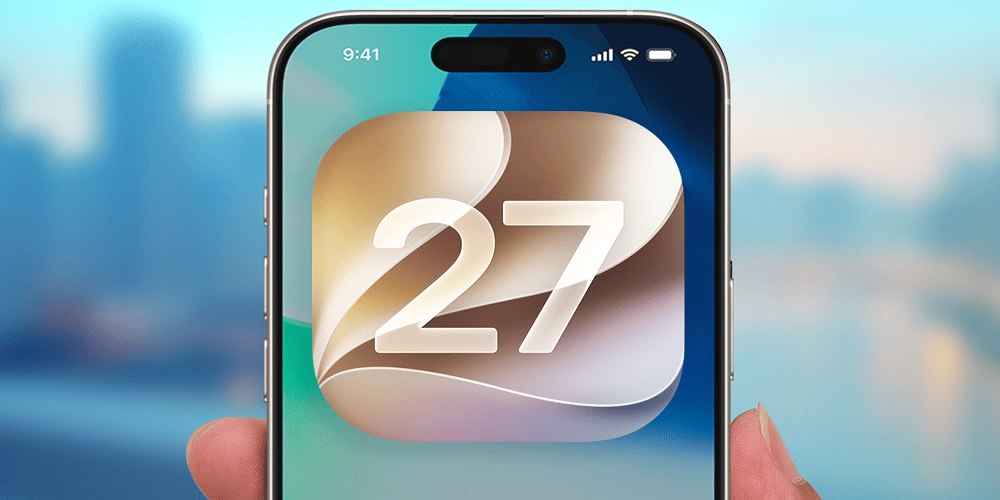
Apple’s beta software program allows users to test upcoming iOS features before the final version becomes available to everyone. The iOS 27 public beta has become one of the most discussed software updates among iPhone users because it introduces new customization options, AI-powered tools, performance improvements, and enhanced privacy features.
For users who enjoy trying the latest Apple software, the iOS 27 public beta offers an early look at the future of the iPhone experience. However, installing beta software also comes with certain risks, including bugs, app compatibility issues, and battery performance concerns.
This guide explains everything you need to know about the iOS 27 public beta, including its expected release timeline, features, supported devices, installation process, and whether you should install it.
What Is the iOS 27 Public Beta?
The iOS 27 public beta is Apple's testing version of its upcoming mobile operating system. Before Apple launches the final software to all users, it releases beta versions to developers and the public to identify bugs and gather feedback.
Unlike the developer beta, the public beta is designed for regular users who want to test new features without paying for a developer account. Anyone with an eligible iPhone can enroll in Apple's Beta Software Program and download the update.
The purpose of the iOS 27 public beta is to:
- Test new features before the official release.
- Improve software stability.
- Fix bugs and performance issues.
- Gather user feedback.
- Ensure app compatibility.
Although the public beta is generally more stable than the developer beta, it is still considered unfinished software.
iOS 27 Public Beta Release Date
Apple traditionally unveils new iOS versions during its Worldwide Developers Conference in June and releases public beta versions a few weeks later.
The expected timeline for the iOS 27 public beta includes:
- Developer Beta: June
- Public Beta: July
- Release Candidate: September
- Final Release: September
The exact date can vary depending on Apple's testing schedule and software readiness. Users enrolled in the Beta Software Program receive notifications once the beta becomes available.
Major Features in the iOS 27 Public Beta
Apple has focused heavily on artificial intelligence, personalization, and productivity in the iOS 27 public beta.
Enhanced AI Features
Artificial intelligence plays a major role in the new software update. Several applications now use on-device AI processing to improve the user experience.
New AI capabilities include:
- Smarter writing tools
- Improved voice assistant functionality
- Automatic message summaries
- Better photo editing suggestions
- Intelligent notification management
The AI features aim to make daily tasks faster and more convenient.
Redesigned Control Center
The Control Center receives another major redesign in the iOS 27 public beta.
Users can:
- Resize controls.
- Add more widgets.
- Create custom pages.
- Rearrange shortcuts more easily.
- Access favorite settings faster.
The updated interface gives users greater flexibility in customizing their iPhones.
Smarter Notifications
Notification management has been improved significantly.
The iOS 27 public beta can:
- Group similar notifications.
- Prioritize important alerts.
- Reduce notification clutter.
- Summarize less important updates.
This helps users stay focused without constantly checking their phones.
Improved Home Screen Customization
Apple continues to expand customization options.
Users can now:
- Change app icon styles.
- Create custom themes.
- Use larger widgets.
- Organize apps more efficiently.
The iOS 27 public beta gives iPhone owners more control over the appearance of their devices.
Upgraded Messages App
The Messages app receives several improvements, including:
- Better group chat management.
- AI-generated reply suggestions.
- Improved search capabilities.
- Enhanced sticker support.
- Message scheduling options.
Communication becomes faster and more efficient.
Better Privacy Protection
Privacy remains one of Apple's biggest priorities.
The iOS 27 public beta introduces:
- More app permission controls.
- Improved tracking prevention.
- Enhanced password management.
- Better privacy reports.
- Stronger device security settings.
These updates help users protect their personal information.
Performance Improvements in the iOS 27 Public Beta
Apple has also worked on improving system performance.
The iOS 27 public beta focuses on:
- Faster app launches
- Better multitasking
- Improved memory management
- Smoother animations
- Reduced system lag
Many users report that recent iOS versions have become increasingly optimized, even on older devices.
Battery Life in the iOS 27 Public Beta
Battery life is one of the biggest concerns when installing beta software.
Because beta versions are still under development, users may experience:
- Faster battery drain
- Increased background activity
- App optimization issues
- Higher processor usage
As Apple releases additional beta updates, battery performance generally improves.
If battery life is important for work or travel, waiting for the stable release may be the better choice.
Supported Devices for the iOS 27 Public Beta
Apple usually supports multiple generations of iPhones.
The iOS 27 public beta is expected to work on many recent devices, including:
- iPhone 16 series
- iPhone 15 series
- iPhone 14 series
- iPhone 13 series
- iPhone 12 series
- iPhone 11 series
- iPhone SE models that meet the requirements
Older devices may not support all new AI features because of hardware limitations.
How to Download the iOS 27 Public Beta
Installing the iOS 27 public beta is relatively simple.
Step 1: Back Up Your iPhone
Before installing any beta software:
- Create an iCloud backup.
- Or make a computer backup using Finder or iTunes.
This protects your data if something goes wrong.
Step 2: Join Apple's Beta Software Program
Visit Apple's Beta Software Program website and sign in using your Apple ID.
Step 3: Enroll Your Device
Register your iPhone in the beta program.
Step 4: Download the Update
Go to:
Settings → General → Software Update → Beta Updates
Choose:
iOS 27 Public Beta
Then tap:
Download and Install.
Should You Install the iOS 27 Public Beta?
The answer depends on your needs.
Install the iOS 27 Public Beta If:
- You enjoy testing new features.
- You own a secondary iPhone.
- You want early access to AI tools.
- You like experimenting with software.
Avoid the iOS 27 Public Beta If:
- Your iPhone is your primary work device.
- You rely on banking applications.
- You need maximum stability.
- Battery life is critical.
Beta software can sometimes cause unexpected problems.
Common Problems in the iOS 27 Public Beta
As with every beta release, users may encounter issues.
Common problems include:
App Crashes
Some applications may not be fully compatible with the iOS 27 public beta.
Battery Drain
Background optimization may still be incomplete.
Device Heating
Beta software can increase processor usage, causing devices to become warm.
Connectivity Issues
Some users may experience:
- Wi-Fi problems
- Bluetooth issues
- Cellular connectivity bugs
Unexpected Restarts
Minor software bugs can occasionally trigger random restarts.
These issues are normal during beta testing and usually improve with future updates.
Tips Before Installing the iOS 27 Public Beta
Follow these precautions before installing the update.
Back Up Everything
Always create a complete backup.
Check App Compatibility
Verify whether your important applications support beta software.
Free Up Storage
Software updates require sufficient storage space.
Charge Your Device
Ensure your battery is above 50 percent before installation.
Read User Feedback
Early user reports can help you decide whether the update is stable enough.
How to Leave the iOS 27 Public Beta Program
If you no longer want beta updates, you can remove your device from the program.
Go to:
Settings → General → Software Update → Beta Updates → Off
Your device will stop receiving future beta releases.
However, to return immediately to the stable version, you may need to erase your device and restore a previous backup.
New Accessibility Features
Apple continues to improve accessibility in the iOS 27 public beta.
Potential enhancements include:
- Better voice control.
- Improved live captions.
- Enhanced screen reader performance.
- More customization for visual assistance.
These features make the iPhone more useful for everyone.
Security Enhancements in the iOS 27 Public Beta
Security updates are an important part of every iOS release.
The iOS 27 public beta introduces:
- Improved anti-phishing protections.
- Better account security.
- Enhanced device encryption.
- More secure passkey support.
Apple continues to focus on protecting user data.
Why the iOS 27 Public Beta Is Generating So Much Interest
The excitement surrounding the iOS 27 public beta comes from several factors:
- Advanced AI integration.
- Improved customization.
- Better productivity features.
- Stronger privacy tools.
- Smoother user experience.
Many users consider it one of Apple's most ambitious software updates in recent years.
Final Thoughts
The iOS 27 public beta gives iPhone users an early opportunity to explore Apple's latest innovations before the official release. With enhanced artificial intelligence, smarter notifications, improved customization, and stronger privacy features, the update promises a more powerful and personalized iPhone experience.
However, because the iOS 27 public beta is still under development, users should expect occasional bugs, battery issues, and app compatibility problems. Installing it on a secondary device is generally the safest approach.
For users who enjoy testing new features and providing feedback, the iOS 27 public beta offers an exciting preview of the future of iOS.
FAQs
What is the iOS 27 public beta?
The iOS 27 public beta is Apple's pre-release version of iOS that allows users to test upcoming features before the final public launch.
Is the iOS 27 public beta free?
Yes, anyone with a compatible iPhone and an Apple ID can download the iOS 27 public beta for free through Apple's Beta Software Program.
Is the iOS 27 public beta stable?
The iOS 27 public beta is generally more stable than the developer beta but may still contain bugs and performance issues.
Can I downgrade after installing the iOS 27 public beta?
Yes, but downgrading usually requires erasing your device and restoring a previous backup.
Will the iOS 27 public beta affect battery life?
Yes, some users may experience increased battery drain because beta software is still being optimized.
Which iPhones support the iOS 27 public beta?
Recent iPhone models, including the iPhone 11 series and newer devices, are expected to support the iOS 27 public beta.
Should I install the iOS 27 public beta on my main phone?
It is generally recommended to install the iOS 27 public beta on a secondary device because beta software can contain bugs and stability issues.
Leave A Comment
0 Comment