
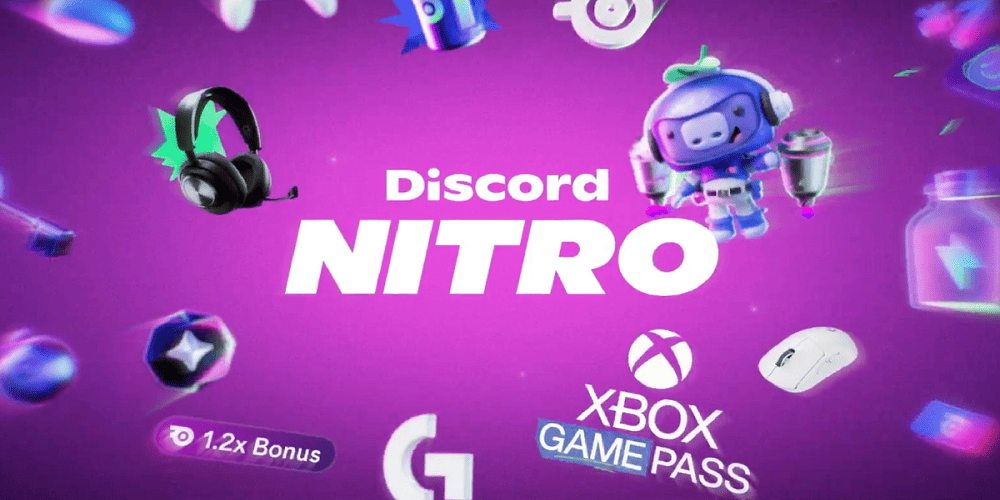
The landscape of modern gaming has shifted dramatically over the past few years. Where players once purchased individual titles at full retail price, the subscription model now reigns supreme. Two of the most influential services in this space are Microsoft’s Xbox Game Pass and Discord’s premium tier, Discord Nitro. Individually, each offers compelling advantages. However, when combined through various promotional tactics and partnership benefits, the pairing of Xbox Game Pass and Discord Nitro creates a synergy that is hard to ignore. This article explores the intricate relationship between these two platforms, how they complement each other, and why understanding the Xbox Game Pass Discord Nitro connection can save you money while enhancing your online gaming experience.
To appreciate the value, one must first understand what each service provides on its own. Xbox Game Pass is often hailed as the best deal in gaming. For a monthly fee, subscribers gain access to a rotating library of hundreds of high-quality games, including every first-party Xbox title on the day of its release. It spans across console, PC, and cloud streaming, allowing players to enjoy blockbuster hits and indie gems without paying full price. On the other side of the equation, Discord Nitro enhances the primary communication tool for gamers. It offers benefits like higher resolution screen sharing, larger file upload limits, custom emojis across any server, and an animated avatar. At first glance, these services seem unrelated. One is about game distribution; the other is about social interaction. Yet, the collaboration between Xbox Game Pass and Discord Nitro has become a frequent topic of discussion among savvy gamers looking to stretch their entertainment budget.
One of the most direct intersections between Xbox Game Pass and Discord Nitro occurs through promotional campaigns. Microsoft and Discord have run several limited-time offers that grant one service’s subscription to users of the other. For instance, new Xbox Game Pass Ultimate members have occasionally received a few months of Discord Nitro at no additional cost. Conversely, certain Discord Nitro promotions have included access to Xbox Game Pass for PC. These cross-promotions are not permanent, but they recur often enough that the phrase Xbox Game Pass Discord Nitro has become searchable shorthand for finding active deals. The logic behind these partnerships is sound. Microsoft wants to attract the PC-centric, community-driven audience that lives on Discord. Discord, in turn, wants to reward its most engaged users with high-quality game content, encouraging them to stay logged in and active. When you claim an Xbox Game Pass Discord Nitro bundle, you are effectively bridging two ecosystems that were not originally designed to overlap.
From a financial perspective, stacking these subscriptions makes sense. A standard Xbox Game Pass for Console costs around ten dollars monthly, while Game Pass Ultimate, which includes PC, cloud, and Xbox Live Gold, is around fifteen dollars. Discord Nitro Basic is cheaper, but the full Discord Nitro subscription is nearly ten dollars monthly if paid month-to-month. Paying for both at retail price would set you back over twenty-five dollars per month. However, many users have successfully found deals that bundle or discount the pair. For example, a three-month Xbox Game Pass Ultimate card sometimes includes a code for two months of Discord Nitro. When you consider that Discord Nitro offers perks like using custom emojis from any server and boosting a server’s audio quality, the added value for a multiplayer-focused gamer becomes clear. If you frequently play online multiplayer games available through Xbox Game Pass, such as Halo Infinite, Sea of Thieves, or Forza Horizon 5, having Discord Nitro lets you stream those sessions to friends at 60 frames per second, a feature not available to free users.
Another critical aspect of the Xbox Game Pass Discord Nitro relationship is the integration of Xbox Live accounts with Discord. For a long time, console gamers had to use separate voice chat applications or rely on limited in-game systems. Now, you can connect your Xbox profile directly to Discord and join voice channels from your console. While this feature works without a Nitro subscription, having Discord Nitro enhances the experience through higher quality streaming of your gameplay directly from the Xbox console to a Discord channel. Imagine you are playing a Game Pass title like Starfield. With Discord Nitro, you can broadcast that game to a private server with your friends at 4K resolution and 60 frames per second, provided your internet connection supports it. That level of sharing is impossible on the free tier. The combination of a deep game library and a high-fidelity streaming tool makes the Xbox Game Pass Discord Nitro pairing uniquely powerful for content creators and casual sharers alike.
It is also worth noting the regional variations in these offers. Not every country that has Xbox Game Pass also has Discord Nitro promotions. Some regions miss out on the bundled deals due to licensing or payment processing restrictions. Therefore, when searching for an active Xbox Game Pass Discord Nitro promotion, it is essential to check the official pages for each service in your specific locale. Third-party resellers often advertise cheap codes for Xbox Game Pass or Discord Nitro, but these are not always legitimate. The safest way to secure a genuine Xbox Game Pass Discord Nitro bundle is through the official Microsoft Store or the Discord shop itself. Occasionally, energy drink promotions, graphics card purchases, or laptop bundles include vouchers for one or both services. However, those are fleeting and not as reliable as the direct partnership offers.
From a user experience perspective, the overlap between Xbox Game Pass and Discord Nitro solves a common problem: what to play with friends. The free tier of Discord allows text and voice chat, but it does not encourage game discovery. Xbox Game Pass acts as a discovery engine, offering a vast, curated list of titles. When you combine that with Discord Nitro’s profile customization and streaming features, you create a social hub where trying new games is frictionless. For example, a group of four friends can look at the Xbox Game Pass library, decide to try a cooperative game like Grounded or Valheim, then use Discord Nitro to stream each other’s perspectives, share high-quality screenshots via the increased file upload limit, and use animated emojis to react to in-game moments. The free version of Discord would cap their streaming resolution and limit file sharing to tiny images. Thus, the premium experience of Discord Nitro is noticeably superior when paired with the variety offered by Xbox Game Pass.
Many gamers wonder if the Xbox Game Pass Discord Nitro synergy is worth the ongoing cost. A good way to answer this is to calculate your current spending on games and communication perks. If you typically buy three full-priced games per year at sixty dollars each, that is one hundred eighty dollars. Xbox Game Pass Ultimate for a full year, assuming you pay monthly, is also around one hundred eighty dollars. That alone breaks even on game spending, but it gives you access to hundreds more titles. Adding Discord Nitro for a full year at roughly one hundred dollars pushes the total to two hundred eighty dollars. Is that worth it? Only if you actively use the Nitro features. If you live in Discord servers, frequently stream games, need large file uploads for sharing clips, and want to use custom emojis globally, then the added cost is justifiable. If you only use Discord for basic voice chat, the free tier is sufficient, and you should skip the Nitro component of the bundle. The key is to avoid paying for features you will not use.
Another hidden advantage of the Xbox Game Pass Discord Nitro connection lies in server boosting. Discord Nitro includes two free server boosts. These boosts can be applied to a Discord community server dedicated to a specific Xbox Game Pass title. For instance, if you run a server for a game like Fallout 76 or Rainbow Six Siege, which are both on Game Pass, boosting your server unlocks better audio quality, a higher vanity URL, more emoji slots, and a banner. A boosted server attracts more members and offers a premium experience. Microsoft has noticed that gamers who play multiplayer titles from Game Pass tend to form persistent communities on Discord. By offering Discord Nitro as a bonus with Game Pass subscriptions, Microsoft indirectly strengthens those communities, making players more likely to renew their game pass subscription to stay connected with their boosted server friends.
There are also technical considerations. Streaming games from an Xbox console to Discord requires an active Xbox Game Pass Core or Ultimate subscription for online multiplayer on paid titles, but many free-to-play games on Game Pass do not require an additional online fee. Discord Nitro’s high-resolution streaming, however, demands a solid internet connection with at least five to ten megabits per second upload speed. Users with slower connections might find that the standard free tier streaming actually performs better because it uses less bandwidth. So, before you rush to claim an Xbox Game Pass Discord Nitro bundle, run a speed test on your network. If your upload speed is below ten megabits per second, the premium streaming feature of Discord Nitro will not be usable at its highest quality, reducing the value you get from the promotion.
Customer support for these combined offers can be tricky. If you have an issue with a promotional code that promises three months of Discord Nitro with your Xbox Game Pass subscription, which company do you contact? Typically, the redemption process is managed by the issuer. If you buy an Xbox Game Pass subscription directly from Microsoft and get a Discord Nitro code, any problem with that code falls to Discord’s support team. Conversely, if you redeem a Discord Nitro promotion that includes Xbox Game Pass, and the game pass code fails, Discord’s support team is responsible. This fragmentation can be frustrating. It is wise to read the terms and conditions of any Xbox Game Pass Discord Nitro offer carefully. Pay attention to expiration dates. Many of these codes must be redeemed within thirty days of issuance. Users have often complained about letting a Nitro code sit in their email for months, only to find it has expired when they finally try to activate it.
From a competitive standpoint, the Xbox Game Pass Discord Nitro partnership is a direct challenge to other platforms like PlayStation Plus and Steam. Sony’s PlayStation Plus does not have a built-in integration with Discord that offers high-resolution streaming from the console. While PlayStation consoles do support Discord voice chat, the video streaming integration is not as deep. PC gamers who use Steam might have their own chat features, but Steam’s chat lacks the cultural ubiquity of Discord. By pairing Xbox Game Pass with Discord Nitro, Microsoft acknowledges that the future of gaming is not just about games, but about the spaces where players gather. Discord has become that space. A seamless Xbox Game Pass Discord Nitro experience encourages players to stay within Microsoft’s ecosystem while using Discord as the social layer. It is a wise, non-competitive move that benefits both companies.
Looking ahead, the relationship between Xbox Game Pass and Discord Nitro is likely to deepen. Rumors have circulated about a potential permanent bundle where users pay a single combined monthly fee for both services. While neither company has confirmed such a plan, the repeated limited-time offers suggest that data from these promotions is positive. Gamers who try Nitro through an Xbox Game Pass promotion often retain their Nitro subscription after the free months end. Similarly, Discord users who get a taste of Game Pass through a Nitro promotion often convert to paying Game Pass members. For now, the best strategy is to remain vigilant for every three to four months when new Xbox Game Pass Discord Nitro offers appear. Following the official Xbox Game Pass Twitter account and Discord’s news blog is a reliable way to catch these deals within the first few hours before they sell out.
Before concluding, it is important to address the environmental and digital wellness aspects. Subscribing to multiple services like Xbox Game Pass and Discord Nitro can lead to subscription fatigue and unexpected monthly charges. It is easy to forget a free trial for either service and then get billed for a full year. To avoid this, set calendar reminders one day before any free trial ends. Also, consider the impact on your gaming habits. Having unlimited access to hundreds of games through Xbox Game Pass can sometimes lead to decision paralysis or playing games only because they are on the service, not because you genuinely enjoy them. Adding Discord Nitro’s social features can pressure you to stream or be online more often than you want. Balance is key. Take breaks, mute notifications, and remember that these subscriptions are tools for fun, not obligations.
For families, the Xbox Game Pass Discord Nitro combination requires careful management. Discord’s age restrictions are different from Xbox’s. A child may have an Xbox Game Pass subscription through their parent’s family plan but be too young for a Discord account. Ensure that any Nitro code is redeemed on the appropriate, age-compliant account. Also, Xbox Game Pass allows for home console sharing, meaning one subscription can cover multiple profiles on the same console. Discord Nitro does not offer equivalent sharing. Each user must have their own Nitro subscription to receive the premium perks. Therefore, a family of four cannot share one Nitro code. They would need four separate codes, making an Xbox Game Pass Discord Nitro offer far less valuable for a household than for a single individual.
Ultimately, the decision to pursue an Xbox Game Pass Discord Nitro bundle comes down to your personal usage patterns. If you are an active member of multiple Discord communities, stream your gameplay regularly, and enjoy a wide variety of games, the combination is a no-brainer. The discounts available through promotional codes can save you thirty to fifty dollars per year. If you are a solo player who only uses Discord for basic text chat and plays only one or two games per year, skip the Nitro part and just get the standard Xbox Game Pass. The market is moving toward these alliances, and understanding how Xbox Game Pass Discord Nitro interact will help you navigate future loyalty programs and cross-platform rewards.
Frequently Asked Questions About Xbox Game Pass and Discord Nitro
Here are the most common questions users have regarding the relationship, deals, and technicalities of these two subscription services.
What is the typical content of an Xbox Game Pass Discord Nitro promotion?
Most promotions offer a one-month to three-month code for Discord Nitro when you purchase a three-month or six-month Xbox Game Pass Ultimate subscription. Alternatively, some promotions give one month of Xbox Game Pass for PC when you subscribe to Discord Nitro for three months. The exact details change regularly, so you must check current offers on the official Microsoft Store or Discord shop.
Can I use Discord Nitro features on my Xbox console without a PC?
Yes, you can. After linking your Xbox and Discord accounts, you can join voice channels directly from your Xbox dashboard. However, Discord Nitro features like higher resolution streaming and custom emojis work only if your Nitro subscription is active on the same account you have linked. The console interface for Discord is more limited than the desktop app, so some Nitro benefits may not be visible on the console screen.
If I cancel my Xbox Game Pass subscription, do I lose my Discord Nitro benefits?
No. The two subscriptions are independent once you redeem the code. If you receive Discord Nitro as a bonus from an Xbox Game Pass promotion, that Nitro subscription will remain active for its full duration even if you cancel your game pass early. However, you will not receive any further discounts or renewals of Nitro based on an expired Xbox Game Pass account.
How can I check if my country is eligible for an Xbox Game Pass Discord Nitro bundle?
Visit the official Xbox Game Pass website and navigate to the perks or benefits section. Then open Discord’s Nitro page in a new window and look for regional availability notes. If a promotion is live, both pages will explicitly list eligible countries. Common excluded regions include some parts of Asia, South America, and Eastern Europe due to local payment laws.
Is Discord Nitro required to use Xbox Game Pass cloud gaming on Discord?
No. You can use standard screen sharing on Discord to show your Xbox cloud gaming session to friends without a Nitro subscription. The difference is that Nitro increases the resolution to 4K and the frame rate to 60 FPS, whereas free sharing is limited to 720p and 30 FPS. For most casual viewers, the free quality is acceptable.
Will I lose my server boosts if my Discord Nitro code from an Xbox Game Pass promotion expires?
Yes. Discord Nitro subscriptions come with server boosts as a perk. When your Nitro subscription ends, those boosts are removed unless you renew Nitro or another member boosts the server. Any server that relied on your boosts will drop to a lower tier. Plan accordingly by using boosts on servers that can survive without them.
What is the most common mistake when redeeming an Xbox Game Pass Discord Nitro code?
The most frequent error is trying to redeem a Nitro code on an account that already has an active Nitro subscription. Discord does not allow you to stack free Nitro codes on top of a paid Nitro plan. You must either let your current Nitro expire first or contact Discord support to apply the code as a credit. Similarly, a Discord Nitro code from an Xbox promotion cannot be used for Discord Nitro Basic, only for the full Nitro plan.
Do I need a credit card to claim a free Discord Nitro from Xbox Game Pass?
In most cases, yes. Even for a one-month free code, Discord requires a payment method on file to activate the trial, ostensibly to prevent abuse. The system will not charge you if you cancel before the free period ends, but you must enter a credit card or PayPal account. If you do not want to provide this information, you cannot claim the Nitro offer.
Are there any games on Xbox Game Pass that give extra rewards for having Discord Nitro?
No game on Game Pass currently offers in-game items or currency specifically for having Discord Nitro. The benefits are entirely on the Discord platform level, not inside the games themselves. However, some multiplayer games have Discord integrations that show your game status differently if you have Nitro, such as displaying custom rich presence with larger artwork.
How long do I have to redeem an Xbox Game Pass Discord Nitro code after purchase?
Typically between thirty days and ninety days from the date of purchase or code generation. Check the fine print on your specific promotion. After the expiration date, the code becomes worthless, and neither Microsoft nor Discord will replace it. Always redeem these codes immediately after receiving them.
Leave A Comment
0 Comment